
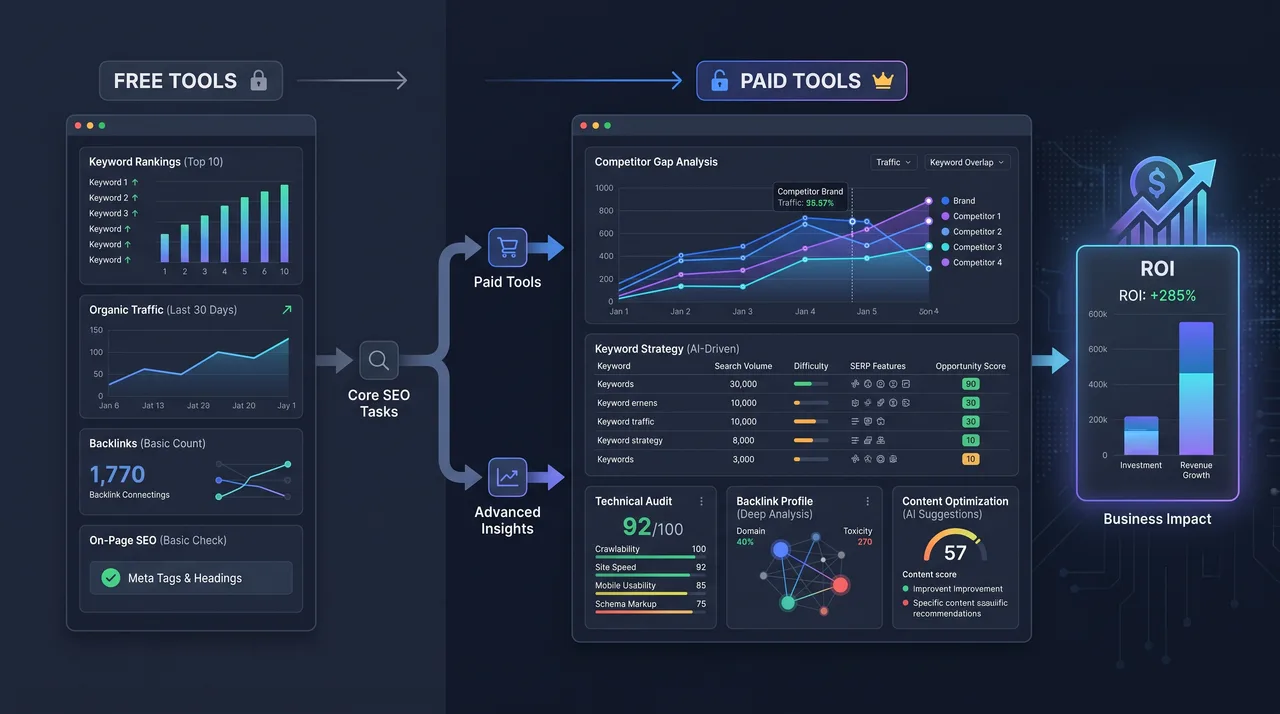
Free vs. Paid SEO Tools: What's Actually Worth Paying For in 2026
Every team lands on the same question sooner or later: how much of the SEO stack really needs a paid subscription? Vendors say "all of it." The honest answer in 2026 is messier. Free tools have come a long way, and several jobs that used to justify four figures a month are now handled well for nothing.
This guide sorts the free vs paid SEO tools decision by function rather than by brand. The aim is a lean stack where every paid dollar buys something free tools simply can't deliver.
The Core Trade-off: Data Depth vs. Data Access
Before comparing tools one by one, it helps to understand why paid tools charge what they do. They aren't selling features. They're selling data.
Free tools generally give you:
- Data about your own properties (your site, your accounts)
- Sampled or rate-limited third-party data
- Point-in-time snapshots rather than historical trends
Paid tools generally sell you:
- Competitor data at scale
- Large keyword and backlink indexes kept current through constant crawling
- Historical data and change tracking over months or years
- Automation, APIs, and multi-user workflows
Framed this way, the call gets simpler: pay when you need data you can't produce yourself.
What Free Tools Genuinely Cover in 2026
First-party performance data
Here free tooling isn't just adequate. It's authoritative.
- Google Search Console (GSC): Real query, click, impression, and position data straight from Google. No paid tool can match it, because it's your data. In 2026, GSC's Insights and 24-hour reporting handle most day-to-day monitoring.
- Bing Webmaster Tools: More relevant every year as Bing-powered surfaces and AI assistants drive real traffic. Free, with its own keyword research module.
- Google Analytics 4: Behavioral and conversion data, still free at the volumes most teams work at.
If your main question is "how are my pages actually performing in search," free tools answer it in full.
Technical audits and crawling (at small scale)
- Screaming Frog crawls up to 500 URLs free. That's enough to fully audit small sites and spot-check large ones.
- Google's PageSpeed Insights and Lighthouse give you Core Web Vitals and rendering diagnostics for free.
- The Chrome DevTools coverage, performance, and network panels are still the best free technical SEO diagnostic set going.
For a site under a few hundred pages, you can run a complete technical SEO program without spending a cent.
Basic keyword and SERP research
- Google Trends for relative demand and seasonality.
- Keyword suggestion scrapers and autocomplete-based free tools for ideas.
- GSC's query report doubles as a keyword tool. It shows the terms you already rank for, including long-tail queries no paid database has indexed.
Structured data and markup validation
- Schema.org validator and Google's Rich Results Test are free and canonical.
- Robots.txt and sitemap testing inside GSC.
SERP and AI-answer monitoring (light)
Manual checks and free browser extensions can track a handful of keywords and show how AI Overviews or answer engines cite your content. It scales badly, but for a short priority list, it's free.
Where Paid Tools Earn Their Cost
Now the honest part of the free vs paid SEO tools debate: some jobs are effectively impossible without paid data.
Competitor intelligence at scale
You can't see a competitor's Search Console. Paid platforms like Ahrefs, Semrush, and others run massive crawls that estimate:
- Which keywords competitors rank for
- Their estimated traffic and traffic value
- Content gaps between your site and theirs
If competitive strategy shapes your roadmap, this is the single most defensible paid spend.
Backlink indexes
Backlink data needs constant web-wide crawling and a link graph, infrastructure no free tool can sustain. Paid link indexes give you:
- Referring domains and anchor text distributions
- New and lost link tracking over time
- Competitor link profiles for outreach targeting
GSC shows your links, but not the surrounding competitive picture or link quality signals.
Large-scale crawling and site monitoring
Enterprise crawlers (JetOctopus, Botify, Screaming Frog's paid tier, Sitebulb) become essential when:
- Your site runs past tens of thousands of URLs
- You need scheduled recrawls and change alerts
- You're analyzing log files to understand crawl budget and bot behavior
Log file analysis in particular is paid-tool territory, and for large sites it directly protects indexation and rankings.
Rank tracking with history and volume
Manual rank checks don't scale and get polluted by personalization. Paid rank trackers give you:
- Daily, location- and device-specific positions
- SERP feature and AI Overview tracking across hundreds or thousands of keywords
- Historical trend lines that justify or challenge strategy
Keyword databases and search volume
Free ideation hands you terms. Paid databases hand you prioritization signals: volume estimates, difficulty scores, SERP intent classification, and clustering. For content planning at scale, that saves huge amounts of time.
Workflow, APIs, and reporting automation
Multi-user access, white-label reporting, and API pulls into your own dashboards are practical paid features. For agencies and larger teams, the time saved often justifies the cost on its own, apart from the data.
A Function-by-Function Comparison
| Function | Free option viable? | Pay when... |
|---|---|---|
| First-party performance data | Yes, fully | Never—use GSC/GA4 |
| Technical audit (small site) | Yes | Site exceeds ~500–1,000 URLs |
| Core Web Vitals | Yes | You need field data at scale |
| Keyword ideation | Yes | You need volume + difficulty at scale |
| Competitor keywords | No | Always, if competitors matter |
| Backlink analysis | Partial (own links only) | You do outreach or competitive analysis |
| Rank tracking | Manual only | You track >20 keywords or need history |
| Log file analysis | No | Large or crawl-budget-constrained sites |
| Reporting automation | Limited | You manage multiple sites/clients |
Building a Lean Stack by Team Size
Solo operators and small sites
You can run a legitimate SEO program almost entirely free:
- GSC + Bing Webmaster Tools + GA4
- Screaming Frog (free tier)
- PageSpeed Insights / Lighthouse
- Google Trends and autocomplete research
Add one affordable paid keyword tool only when content planning becomes a bottleneck.
Growing in-house teams
Here the math shifts. You usually need:
- One comprehensive paid platform (keywords + backlinks + competitor data)
- A dedicated rank tracker if the platform's tracking is thin
- Screaming Frog paid tier for unlimited crawls
One well-chosen suite usually beats stacking three overlapping subscriptions.
Agencies and enterprise
At this level, paid tools are infrastructure, not luxury:
- Enterprise crawler with log analysis
- Full keyword and backlink suite with API access
- White-label reporting
- Dedicated AI-search and SERP-feature monitoring
The cost holds up given client volume and the reporting demands of multiple stakeholders.
The 2026 Wildcard: AI-Search Visibility Tools
The fastest-growing paid category tracks how brands show up in AI Overviews and answer engines. These tools monitor citations, brand mentions, and share of voice across generative surfaces.
Our advice: don't over-invest yet. The methodologies are still settling, and much of what these tools report can be spot-checked by hand. Treat the category as experimental until measurement standards firm up. Manual auditing plus GSC's evolving reporting will cover most early needs at no cost.
How to Decide: A Practical Framework
Before adding any paid subscription, ask:
- Is this my own data? If yes, a free tool almost certainly has it covered.
- Does it require web-wide crawling? If yes (backlinks, competitor keywords), you'll need to pay.
- Does it require history or automation? Free tools rarely hold deep historical data.
- What's the time cost of the free workaround? For small tasks, manual is fine. At scale, automation pays for itself.
- Will I actually use the extra data? Unused features are the most common wasted spend.
Avoid these common mistakes
- Stacking redundant suites. Two platforms with 80% overlapping data is money down the drain.
- Paying for keyword volume you won't act on. A giant database you never plan against adds nothing.
- Ignoring free first-party data in favor of paid estimates of your own performance. GSC is more accurate than any third-party guess about your site.
The Bottom Line
The free vs paid SEO tools question isn't ideological. It's functional. In 2026, free tools own first-party performance outright, along with technical auditing for smaller sites, structured data validation, and basic research. Paid tools stay essential for anything that needs web-scale data you can't generate yourself: competitor intelligence, backlink indexes, large-site crawling, log analysis, and historical rank tracking.
Start free, prove the workflow, and add paid capacity only where a specific, recurring task needs data or automation the free stack can't provide. That discipline keeps your tooling lean and holds every subscription accountable to real output.
Quick recommendation
- Free is enough for small sites and early-stage programs.
- One paid suite covers most growing in-house teams.
- A full paid stack is infrastructure for agencies and enterprise.
Spend on data you can't create yourself, and no more.