
A Practical Site Audit Checklist for Multi-Client Agencies
Auditing one client's site is easy enough. The trouble starts when you're auditing ten, twenty, or fifty sites at once, each on a different CMS, hosting setup, and business model. That's where agencies bleed time and consistency. Without a fixed sequence, every audit turns into a one-off, deliverables shift from analyst to analyst, and quality slips.
This article hands you a repeatable site audit checklist designed for scale. The aim is a defensible agency SEO workflow that any team member can run in the same order, producing comparable results no matter who runs it or which client it's for.
Why Standardization Beats Improvisation
At scale, your biggest risk isn't overlooking one issue. It's inconsistency. When two analysts audit two sites two different ways, you can't benchmark, you can't train juniors quickly, and you can't productize.
A standard sequence buys you three things:
- Speed: Analysts stop debating what to check and spend their time interpreting results.
- Consistency: Every deliverable follows the same shape, so account managers and clients know what's coming.
- Scalability: New hires get up to speed faster when the process lives in a document, not in someone's head.
The checklist below breaks into phases. Run them in order. Each one feeds the next.
Phase 0: Setup and Access
Standardize your intake before you crawl anything. Half of all audit delays trace back to missing access, not missing skill.
Access and Credentials
- Google Search Console (verified, with 16+ months of data if available)
- Google Analytics 4 / server-side analytics access
- CMS admin or editor access
- Server log access or CDN dashboard (Cloudflare, Fastly, Akamai)
- Any existing rank tracking or third-party tool exports
Baseline Documentation
Note these in your intake template so the audit context travels with the file:
- Primary domain and all known subdomains
- Target markets and languages
- CMS and hosting stack
- Recent migrations, redesigns, or penalties
- Business-critical URLs (money pages, conversion paths)
Keep everything in one client audit folder using a naming convention you apply to every client. This is the bedrock of a scalable agency SEO workflow.
Phase 1: Crawlability and Indexation
Begin where search engines begin. If a site can't be crawled and indexed properly, nothing further down the list matters.
Crawl the Site
Run a full crawl with Screaming Frog, Sitebulb, or a cloud crawler. Set it up once as a reusable template so the config stays identical across clients:
- Respect or ignore robots.txt (run both if you suspect blocking)
- Enable JavaScript rendering for JS-heavy frameworks
- Set a consistent user agent and crawl speed
Indexation Checks
- Compare site: results and GSC indexed counts against the indexable URL count from your crawl. Big gaps point to problems.
- Check the Pages report in Search Console for exclusion reasons: Crawled - currently not indexed, Discovered - not indexed, Duplicate without user-selected canonical.
- Validate robots.txt: no stray Disallow: /, sitemap declared.
- Confirm XML sitemaps exist, are referenced, return 200, and contain only canonical, indexable URLs.
- Check for noindex tags on pages meant to rank, and their absence on pages meant to be blocked.
Canonicalization
- Self-referencing canonicals on primary pages
- No canonical chains or conflicts (canonical pointing to a redirected or noindexed URL)
- HTTP vs HTTPS and www vs non-www resolve to a single version
Phase 2: Site Architecture and Internal Linking
With indexation clean, look at how authority and crawl budget move through the site.
Structure
- Crawl depth: are money pages within three clicks of the homepage?
- Orphan pages: URLs in sitemaps or GA but unreachable through internal links
- Faceted navigation and parameter URLs bloating the crawl
Internal Linking
- How internal links are distributed to priority pages
- Broken internal links (4xx) and internal redirects (3xx) that ought to become direct links
- Anchor text relevance and diversity on key hub pages
Push the crawl's link and depth data into your standard architecture tab. That makes it simple to measure a site's structure against your agency benchmarks.
Phase 3: On-Page and Content Fundamentals
Here a technical SEO audit starts overlapping with content strategy. Keep it technical and countable.
Metadata
- Missing, duplicate, or truncated title tags
- Missing or duplicate meta descriptions
- Multiple or missing H1 tags
- Heading hierarchy that breaks logical order
Content Quality Signals
- Thin pages (low word count with no functional reason)
- Duplicate or near-duplicate content clusters
- Keyword cannibalization: multiple URLs chasing the same intent
- Pages with high impressions but weak CTR (a metadata opportunity from GSC)
Structured Data
- Validate existing schema with the Rich Results Test
- Spot missing opportunities: Article, Product, FAQ, LocalBusiness, Breadcrumb
- Flag invalid or deprecated markup that triggers GSC enhancement errors
Phase 4: Core Web Vitals and Performance
Performance is measurable and comparable, which makes it perfect for a standardized checklist.
Field and Lab Data
- Pull field data from the CrUX report and the GSC Core Web Vitals section
- Run lab tests via Lighthouse or PageSpeed Insights on three page types: homepage, category/hub, and a template detail page
Metrics to Record
- LCP (target under 2.5s)
- INP (target under 200ms)
- CLS (target under 0.1)
Common Culprits to Diagnose
- Unoptimized images and missing next-gen formats
- Render-blocking CSS/JS
- Missing lazy loading below the fold
- Layout shifts from ads, embeds, or web fonts
- Slow server response time (TTFB) that points to hosting or backend issues
Log the numbers in the same fields for every client so you can track performance over time and across the whole portfolio.
Phase 5: Mobile and Rendering
Under mobile-first indexing, the mobile experience is the main experience.
- Confirm content parity between mobile and desktop
- Check tap target sizing and viewport configuration
- Test JavaScript rendering: does critical content show up in the rendered DOM, not just the raw HTML?
- Verify that lazy-loaded content is reachable by crawlers
Use the URL Inspection tool's rendered HTML to see what Google actually sees, not what the browser shows a logged-in user.
Phase 6: International and Local Signals
Skip or expand this phase depending on the client, but keep the checks standardized wherever they apply.
International (hreflang)
- Return tags present and reciprocal
- Valid language and region codes
- x-default set for global fallback
- Canonical and hreflang not contradicting each other
Local
- Google Business Profile accuracy
- NAP consistency across the site and citations
- LocalBusiness schema on location pages
Phase 7: Security, Redirects, and Technical Hygiene
These are quick wins clients tend to miss, and they stabilize a site's foundation.
- Valid SSL certificate with no mixed content warnings
- HTTPS enforced site-wide with proper redirects
- Redirect chains and loops collapsed to single hops
- Custom, indexable-safe 404 handling
- No soft 404s returning 200 status codes
- Server log review: are bots burning crawl budget on low-value URLs?
Phase 8: Off-Page and Authority Snapshot
Even a technically minded audit gains from a quick authority check that frames the rankings.
- Referring domain count and growth trend
- Toxic or spammy link spikes worth disavowing
- Lost high-value backlinks (candidates for reclamation)
- Competitive gap: domains linking to competitors but not the client
Keep this snapshot short. Deep link audits are usually a separate engagement, but flagging red flags here keeps you from blind spots.
Turning the Checklist Into a Repeatable Workflow
A checklist is only as good as the system around it. To make this a real agency SEO workflow, wrap the phases in operational structure.
Templatize Everything
- One crawler configuration file reused across clients
- A master spreadsheet or database with a tab per phase
- Standard screenshot and export naming conventions
- A client-facing report template that maps one-to-one to the audit phases
Assign Severity and Effort
For every issue you log, capture two things:
- Impact: high, medium, low
- Effort: high, medium, low
Now you can auto-generate a prioritized roadmap. Clients don't want a 200-item list; they want to know what to fix first. An impact-versus-effort matrix turns raw findings into a defensible action plan.
Automate the Repetitive Parts
- Schedule recurring crawls for retainer clients
- Use APIs (GSC, PageSpeed, crawler exports) to feed a central dashboard
- Set alerts for indexation drops, Core Web Vitals regressions, or new 5xx spikes
Automation doesn't replace the analyst. It frees them to interpret rather than collect.
Build a Quality Gate
Before any audit goes out, a second team member checks it against the same checklist. Since the process is standardized, that review takes minutes, not hours. This is how agencies hold quality steady while scaling volume.
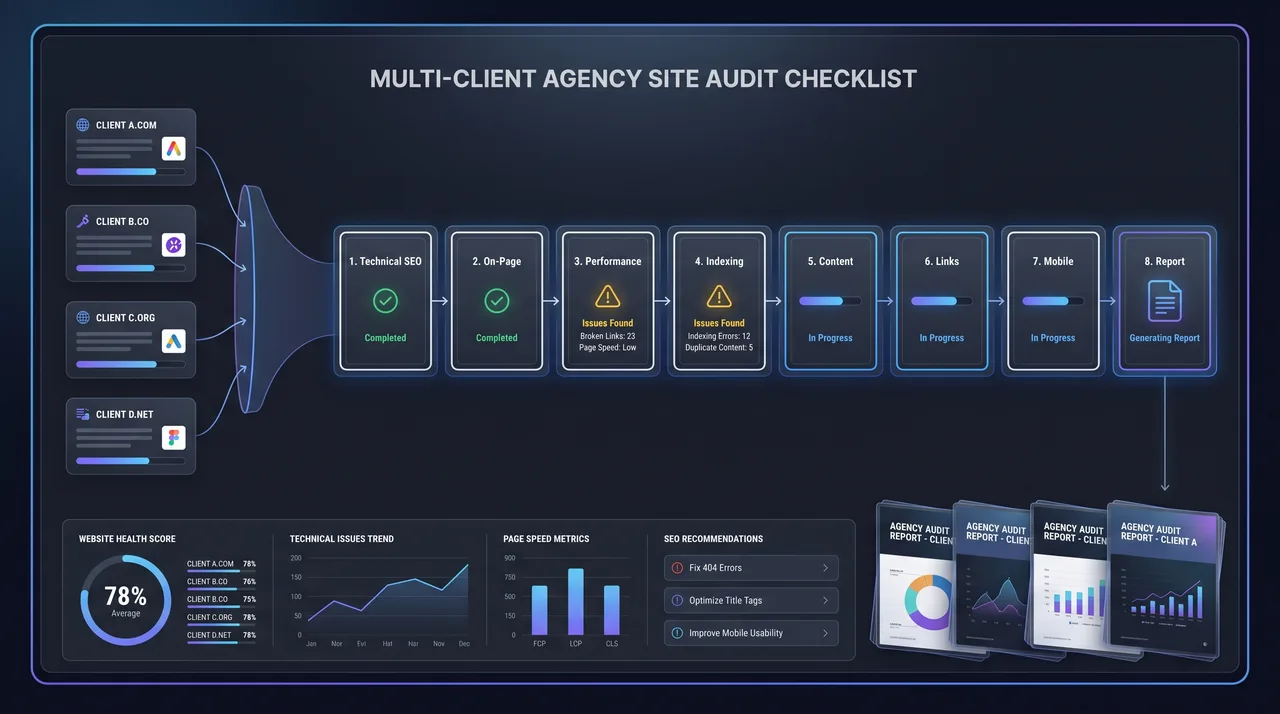
A Sample Audit Sequence at a Glance
Here's the whole sequence compressed into a runnable order:
- Setup – access, credentials, baseline documentation
- Crawlability & Indexation – crawl, robots, sitemaps, canonicals
- Architecture – depth, orphans, internal links
- On-Page – metadata, content, structured data
- Performance – Core Web Vitals, page speed diagnostics
- Mobile & Rendering – parity, JS rendering
- International & Local – hreflang, NAP, local schema
- Hygiene – SSL, redirects, 404s, logs
- Off-Page – authority snapshot, toxic links
- Prioritization – impact/effort scoring, roadmap, QA
Work the phases in this order every time. Earlier phases surface problems that change how you read later data. Indexation issues found in Phase 1, for instance, explain missing pages you'd otherwise chase down in Phase 3.
Final Thoughts
What separates an agency that flounders at scale from one that audits fifty sites with confidence isn't the tooling. It's process discipline. A standardized site audit checklist takes out the guesswork, keeps deliverables consistent, and lets your team focus on insight instead of logistics.
Start by writing down the sequence above, templatizing your crawler and reporting assets, and enforcing a light QA gate. Once the workflow is codified, each new client audit runs faster and more reliably than the last, which is exactly what a mature technical SEO audit practice should deliver.
Adopt the checklist, sharpen it against your own portfolio, and treat it as a living document. The best agency SEO workflow is one your whole team can run in their sleep and improve every quarter.